

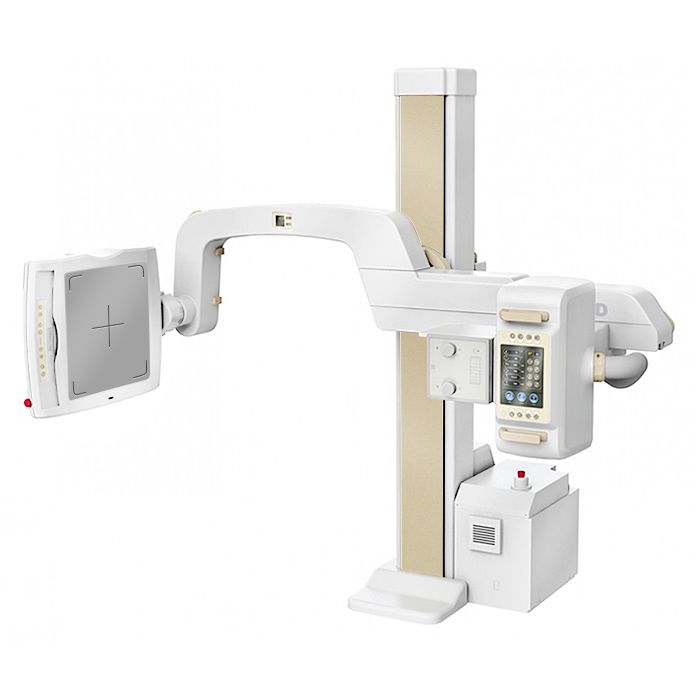

The device for the general diagnostics office for all types of X-ray examination.

With the help of ProGraph, you can equip a general diagnostics room and perform any work on radiography. During the examination, the patient can take an optimal position for taking the picture: standing, sitting or lying down. You can mount a digital camera and a RID with a diaphragm and a light centralizer on the X-ray device stand. And with the organ automation feature, you can easily select your shooting options.
Complete with the device you will receive:
special external storage for long-term storage of images
monitors for displaying images and working with the database
office printer for printing reports.
The software of the device can be integrated into any information system. It already contains generally accepted protocols and current forms of periodic reports. And to process the resulting image, you can use filters.
Documents
Questions and answers
Pay attention to the training materials from the sections "Content managers" and "Administrators". They will help you to make the most of the possibilities of 1C-Bitrix and our solution and protect you from possible mistakes.
You also like


How to buy
To purchase a product you like, you need to order it. There are several scenarios for how this can be done.
- Choose the product you like and click the "Order" button. When placing an order, fill out the form. Enter information in the fields: full name, phone number and e-mail. Then the manager will call you back to confirm your consent to make the purchase.
- Select the product you like and click the "Add to cart" button. Then go to the cart and click "Checkout". Then fill out the form with contact information and send an application. The manager will contact you for further discussion.
- Go to the product card and click "Buy in one click". After clicking, you need to fill out the form and send an application. The manager will contact you for further discussion.